
AI for 3D printing
Turn a photo into a 3D print
Upload a picture of an object — or describe one — and AI builds a 3D model you can print. Set the size in millimetres, check it is watertight, then send it to a print service in one click or download the STL for your own printer.
Free account · 10 AI tokens once you confirm your email · no card needed
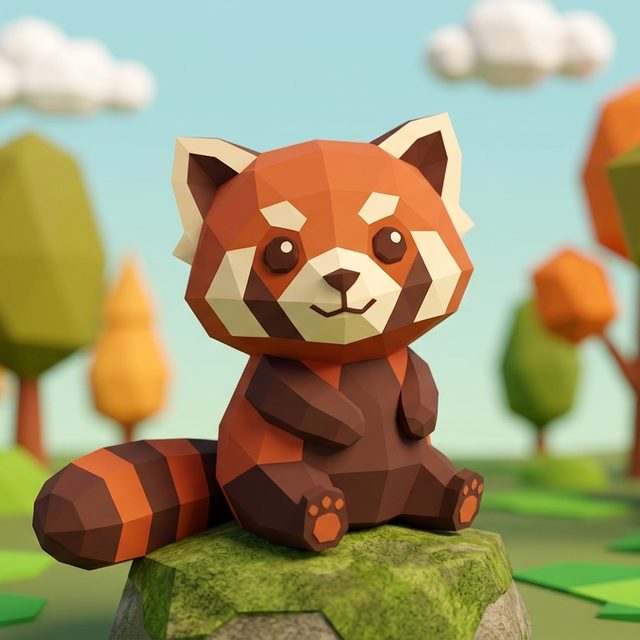
Your image
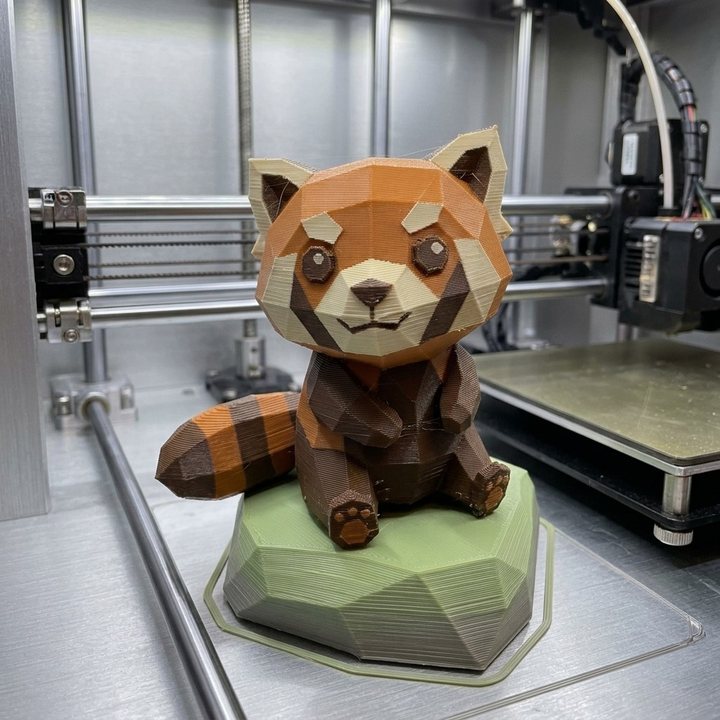
3D printed
From picture to printed object in three steps
- 1
Make the 3D model
Upload a photo of one object, or type a description. AI builds a textured 3D model in about a minute. You can also open your own GLB, OBJ or STL.
- 2
Press Print in 3D
Choose which objects to print and the size of the longest side in millimetres. You see a preview, whether the mesh is watertight, and a rough price.
- 3
Print it
Send it to a print service — Craftcloud compares 150+ shops for you — or download a slicer-ready STL and print it at home.
What you can print
Photo-to-3D works best for objects with a clear, single shape: the kind of thing you would put on a shelf, a desk or a gaming table.
- Figurines and collectibles — characters, animals, sculptures, toys
- Keepsakes and gifts — a favourite object, an ornament, a miniature of something you love
- Tabletop miniatures and terrain — print in resin for the finest detail
- Décor and props — vases, planters, cosplay pieces, desk objects
Which photos work best
- One object, fully in view — nothing cut off at the edges of the frame
- Plain, uncluttered background — a table or a wall is fine
- Even light — avoid harsh shadows and strong reflections
- A three-quarter angle — shows the front and a side, which helps the AI judge depth
- Choose HD for printing — cleaner shapes and smoother surfaces than standard quality
Getting it printed for you
The Print in 3D button sends your model to the service you choose. Craftcloud gets the model automatically and shows quotes from over 150 print shops in one list, so you can compare materials, prices and delivery times. JLC3DP is often the cheapest for resin and nylon, Treatstock connects you with independent makers, and Shapeways offers premium materials including full colour.
Before you choose, nixi3d shows a rough price range for a plastic print based on the size and volume of your model. The print service gives the exact quote, including shipping.
Materials at a glance
- PLA plastic — the most affordable; matte finish, great for figurines and décor
- Resin — the finest detail and smoothest surface; ideal for miniatures
- PETG — tougher and slightly flexible; good for objects that get handled
- Nylon (SLS) — strong and durable, with a fine sandy texture
- Full colour — prints the model's colours directly; best for display pieces
Printing it yourself
Choose Download → STL for 3D printing, or Just download the STL in the print dialog. The file is in millimetres, turned upright and placed flat on the build plate, and nixi3d tells you whether the surface is watertight. Open it in your slicer, add supports where the model overhangs, and print.
Frequently asked questions
- Is it free?
- Yes, to start. A free account comes with 10 tokens once you confirm your email: a standard model costs 1 token and a high-detail model 5. Opening, editing, converting and exporting files is always free and needs no account.
- I don't own a 3D printer. Can I still get it printed?
- Yes. Press Print in 3D in the editor, choose the size, and pick a print service. Craftcloud receives your model automatically and compares prices from over 150 print shops; JLC3DP, Treatstock and Shapeways open with your STL ready to upload. You order and pay on their site.
- How much does it cost to print?
- It depends on size and material. As a guide, a plastic figurine around 8 cm tall often costs €8–€20 from a print service before shipping; resin, nylon and full colour cost more. The print dialog shows a rough range for your model, and the print service shows the exact price.
- Which 3D printers and slicers does the STL work with?
- All of them. The STL is a standard binary file in millimetres, standing upright (Z-up) on the build plate, so it opens directly in Cura, PrusaSlicer, Bambu Studio, OrcaSlicer, Chitubox, Lychee and the rest.
- How accurate is the model?
- AI reconstructs the object from what it can see, so it is excellent for figurines, toys, décor, keepsakes and props, and fills in hidden sides plausibly. It is not a measuring tool: for parts that must fit to the millimetre, use CAD software.
- Can I combine several objects into one print?
- Yes. Select the objects you want in the print dialog; they are printed together exactly as they are placed in your scene, for example a figure standing on a base.
- Can I print it in colour?
- Yes, with a full-colour print service such as Shapeways, or through Craftcloud's full-colour options. For single-colour plastic or resin, the shape is what matters and the colours are ignored.
Have a photo of something you'd like to hold?
Turn it into a 3D model in a minute, then print it at home or have it delivered.