
Image to 3D with AI
Photo to 3D model in under a minute
One photo is enough. AI turns a picture of an object into a textured 3D model you can rotate, edit and download — for 3D printing, game assets, AR, product mock-ups or just to see your idea in 3D.
Free account · 10 AI tokens once you confirm your email · no card needed
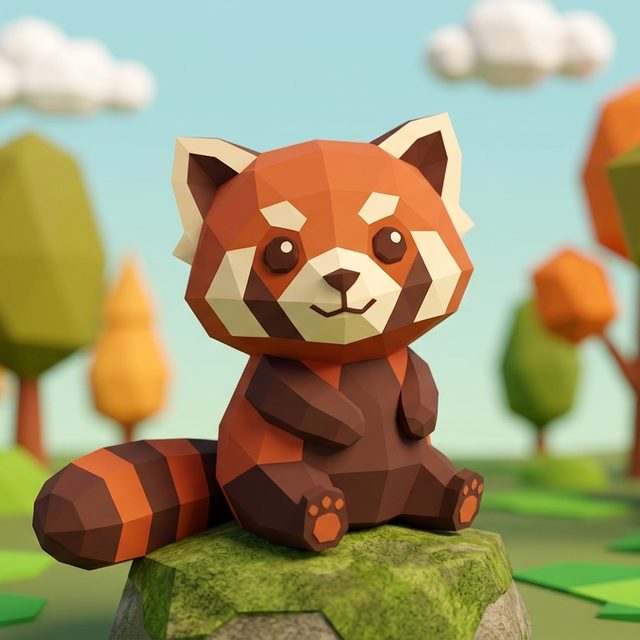
Your image
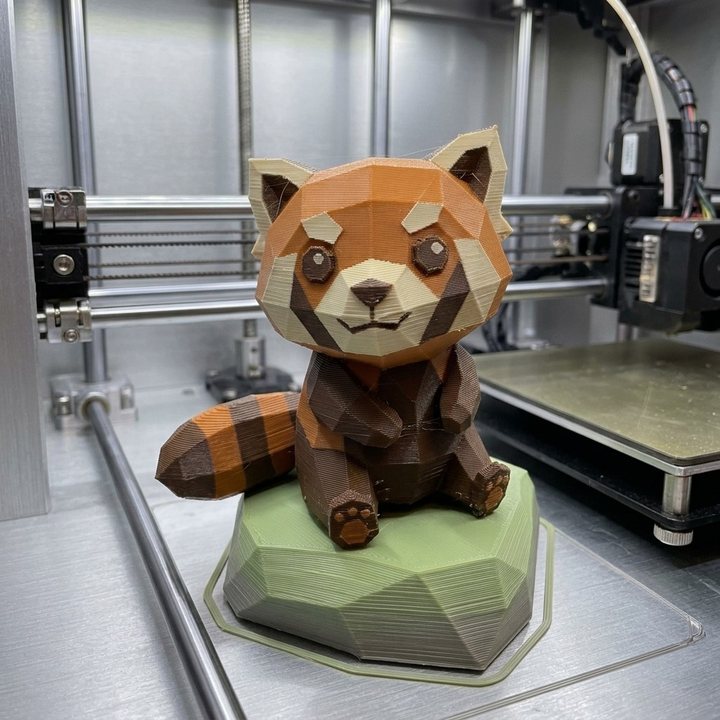
3D printed
How to turn a photo into a 3D model
- 1
Upload one photo
Pick a clear picture of a single object. No special camera, scanning app or multiple angles needed.
- 2
Choose SD or HD
SD is a quick draft for 1 token; HD costs 5 tokens and gives a sharper shape and texture. A free account includes 10 tokens.
- 3
Edit and download
Move, scale and combine it in the editor, then download GLB, OBJ or STL — or send it straight to a 3D print service.
What people make with it
- 3D prints — figurines, gifts and décor from a photo
- Game and app assets — props for Unity, Unreal, Godot or three.js as GLB
- AR and the web — drop the GLB into an AR viewer or embed it on a page
- Product mock-ups — a quick 3D version of an object to show an idea
- School and hobby projects — learn 3D without learning modelling software first
SD or HD?
SD (standard) builds a light model quickly — good for blocking out a scene or checking an idea. HD (high detail) produces cleaner geometry and textures, which is what you want for 3D printing and close-up viewing.
More than a converter
The model opens in a full 3D editor in your browser. Combine it with shapes, adjust materials and lighting, edit the mesh, render an image or a turntable GIF, and share a link or an embeddable viewer — all free.
Choosing a good photo
- Single object — with nothing else overlapping it
- Plain background and even light — no harsh shadows or reflections
- Whole object in frame — a slight three-quarter angle works best
Frequently asked questions
- Is it free?
- Yes, to start. A free account comes with 10 tokens once you confirm your email: a standard model costs 1 token and a high-detail model 5. Opening, editing, converting and exporting files is always free and needs no account.
- Do I need several photos from different angles?
- No. One photo is enough; the AI infers the sides it cannot see. A three-quarter view that shows the front and one side gives the best result.
- Which file formats can I download?
- GLB (keeps colours and textures), OBJ (geometry for most 3D programs) and STL (for 3D printing, sized in millimetres).
- Can I use the models commercially?
- Models you generate from your own photos are yours to use. Make sure you have the rights to the photo you upload.
- How accurate is the model?
- AI reconstructs the object from what it can see, so it is excellent for figurines, toys, décor, keepsakes and props, and fills in hidden sides plausibly. It is not a measuring tool: for parts that must fit to the millimetre, use CAD software.
- Does it work on my phone?
- Yes. The editor runs in any modern mobile browser, so you can take a photo and turn it into a 3D model on the spot.
Try it with any photo
Create a free account, confirm your email, and your first 10 tokens are ready.